Pulse Narrate
Use Pulse Narrate for deliverable voiceovers, response narration, settings, Gemini API keys, and troubleshooting.
Last reviewed
What Pulse Narrate is
Pulse Narrate is the voiceover workflow for Pulse AI deliverables and agent responses. It generates spoken briefings for presentations, audits, and conversational responses when voice mode is enabled.
Pulse Narrate is not Pulse Record. Record is the native dictation app for capturing your speech. Narrate is the Gemini TTS workflow that turns Pulse AI-written summaries and deliverables into audio.
In this guide
| Reader question | Section | What you will learn |
|---|---|---|
| When should I use it? | Deliverable audio proof | Which workspace outputs receive narration. |
| What does it produce? | Narration bundle | How the segments file, WAV, and deliverable stay together. |
| What setup is needed? | Key and voice preferences | How Gemini access and workspace toggles control narration. |
| How do I recover when it fails? | Recovery | What to check for generation, quota, queue, and playback failures. |
When to use it
Use Pulse Narrate when Pulse AI needs to speak the result of work back to the operator. It is the right workflow for task closeouts, proposals, audits, presentations, review packages, and conversational responses when voice preferences require narration.
Do not use Pulse Narrate to capture the user's speech. That is Pulse Record. Do not use it to mark webpage issues. That is Pulse Annotate.
Deliverable audio proof
Pulse Narrate exists to make proof listenable. The narration should summarize what changed, what evidence was collected, what remains blocked, and where the review artifacts live. It should sound like a concise briefing, not a mechanical reading of a checklist.
For a completed task, deliverable audio proof means the configured presentation, narration segments JSON, and narration WAV all live together in the same Knowledge Item artifacts folder.
Deliverable voiceover workflow
Pulse Narrate is built around a workspace-owned workflow:
- Write a natural narration script as short spoken segments.
- Save the segments JSON with a human-readable
title. - Generate the WAV through the Pulse narration or deliverable narration tools.
- Save the generated WAV inside the related Knowledge Item artifacts folder.
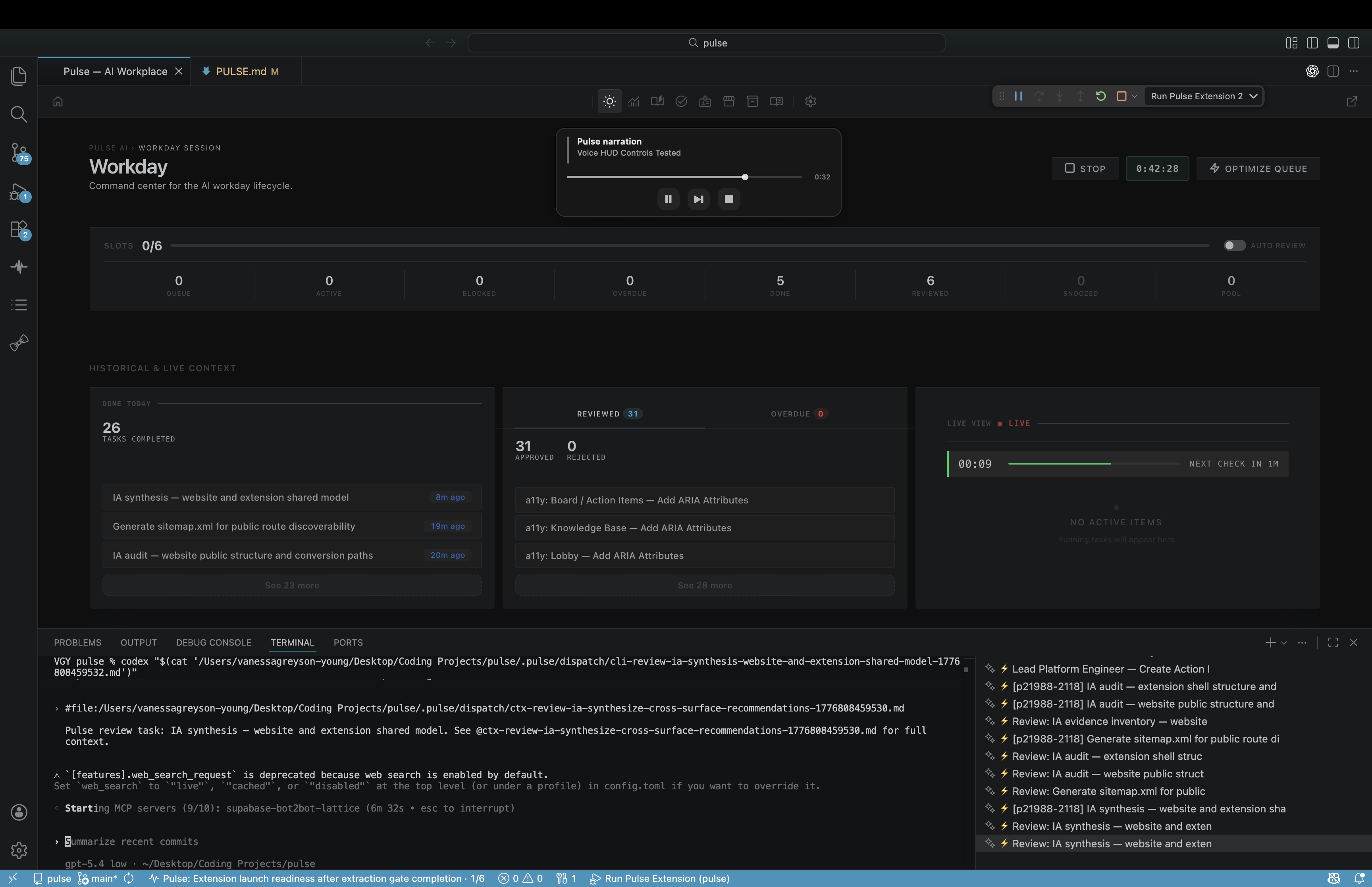
- Replay and validate the file through Pulse Narrate so the HUD, queue, and history record the playback.
- Keep the narration tied to the same presentation and evidence package.
For task deliverables, the WAV should summarize the actual evidence, changed files, blockers, and follow-on work. It should not read a bullet list mechanically or claim proof that was not collected.
What it produces
Pulse Narrate produces a narration WAV plus a source segments file. The common output pair is *-narration-segments.json and *-narration.wav. The WAV is the playable artifact; the segments file is the reproducible script that explains what was spoken.
Permissions to expect
Pulse Narrate follows workspace preferences:
voice.enabledturns voice mode on or off.voice.onPresentationscontrols narration for presentation decks.voice.onResponsescontrols narration for conversational responses.voice.onAuditscontrols narration for audit reports.voice.syncKeyAcrossWorkspacescontrols whether the Gemini key is provisioned across workspaces.
When voice mode is disabled, the voice sub-toggles are suppressed. When it is enabled for a surface, narration is part of the deliverable contract for that surface.
Pulse Narrate does not ask for a microphone permission because it does not record the user. It needs a Gemini TTS key (GEMINI_API_KEY) and follows the workspace voice preferences.
API key and billing setup
Pulse Narrate uses Gemini TTS. Configure the Gemini API key in Pulse AI Settings under Agent Output or Voice. The key is stored through the editor's SecretStorage API, which uses the operating system keychain.
When key sync is enabled, Pulse AI can provision GEMINI_API_KEY into the workspace .env file so local scripts can generate narration. Treat .env as a secret. Do not commit it or include it in screenshots.
Gemini usage may bill against your Google AI account. Pulse AI can enforce its own workflow preferences, but provider pricing, quota, and rate limits are controlled by Google.
Voice mode expectations
Voice mode is a workflow contract, not a decorative media attachment. If voice.enabled and the relevant sub-toggle are true, the response, presentation, or audit should get narration.
The narration should be concise, natural, and specific. It should explain the current state in plain language, including blockers when they exist.
Generated files
For deliverables, narration files belong inside .pulse/knowledge/<slug>/artifacts/ with the configured presentation. Common companion files include:
- A
*-narration-segments.jsonfile with the title, direction, and segments. - A
*-narration.wavfile generated by Gemini TTS. - The HTML presentation deck.
- Any additional summary format required by the workspace.
Do not place final narration artifacts in /tmp. Temporary audio fragments can be used during generation, but the final WAV belongs with the Knowledge Item.
Playback
Use the shared Pulse Narrate surface:
pulse.narration_playpulse.narration_replaypulse.narration_resumepulse.narration_stoppulse.narration_validate
For a conversational playback test, pulse.voice_test_mode generates the WAV, routes it through Pulse Narrate, and returns playback validation. The shared surface handles queueing, playback state, history, and the voice HUD.
Recover when it fails
If generation fails with a missing key, configure the Gemini key in Settings and confirm GEMINI_API_KEY is available to the workspace.
If generation fails with a provider error, retry after checking quota, billing, and rate limits in Google AI Studio.
If playback does not start immediately, another narration may already be playing. The controller can queue playback instead of interrupting the current audio.
If the HUD does not appear on macOS, run pulse.narration_diagnose and confirm the Pulse Narrate HUD dependencies are present.
If a presentation is present but its required narration WAV or playback evidence is missing, the deliverable is incomplete.
Troubleshooting belongs in Help Center once the product behavior is clear. Start with Pulse Narrate support, Pulse Narrate did not generate audio, and My API key is not working.