Workday
Run a focused Pulse AI workday from board scope to dispatch, proof, and review.
Last reviewed
How Workday connects
| Related topic | What it helps you do | Best starting point | Proof to inspect |
|---|---|---|---|
| Workday | Turn selected board work into an active session | Before you start the day | Workday surface screenshot |
| Dispatch | Choose the right dispatch path | Pool dispatch vs direct dispatch | Dispatch workflow diagram |
| Board | Understand what can move | Lifecycle flow | Status flow visual |
| Review Queue | Decide the next move after completion | Review changes the next dispatch | Review evidence checklist |
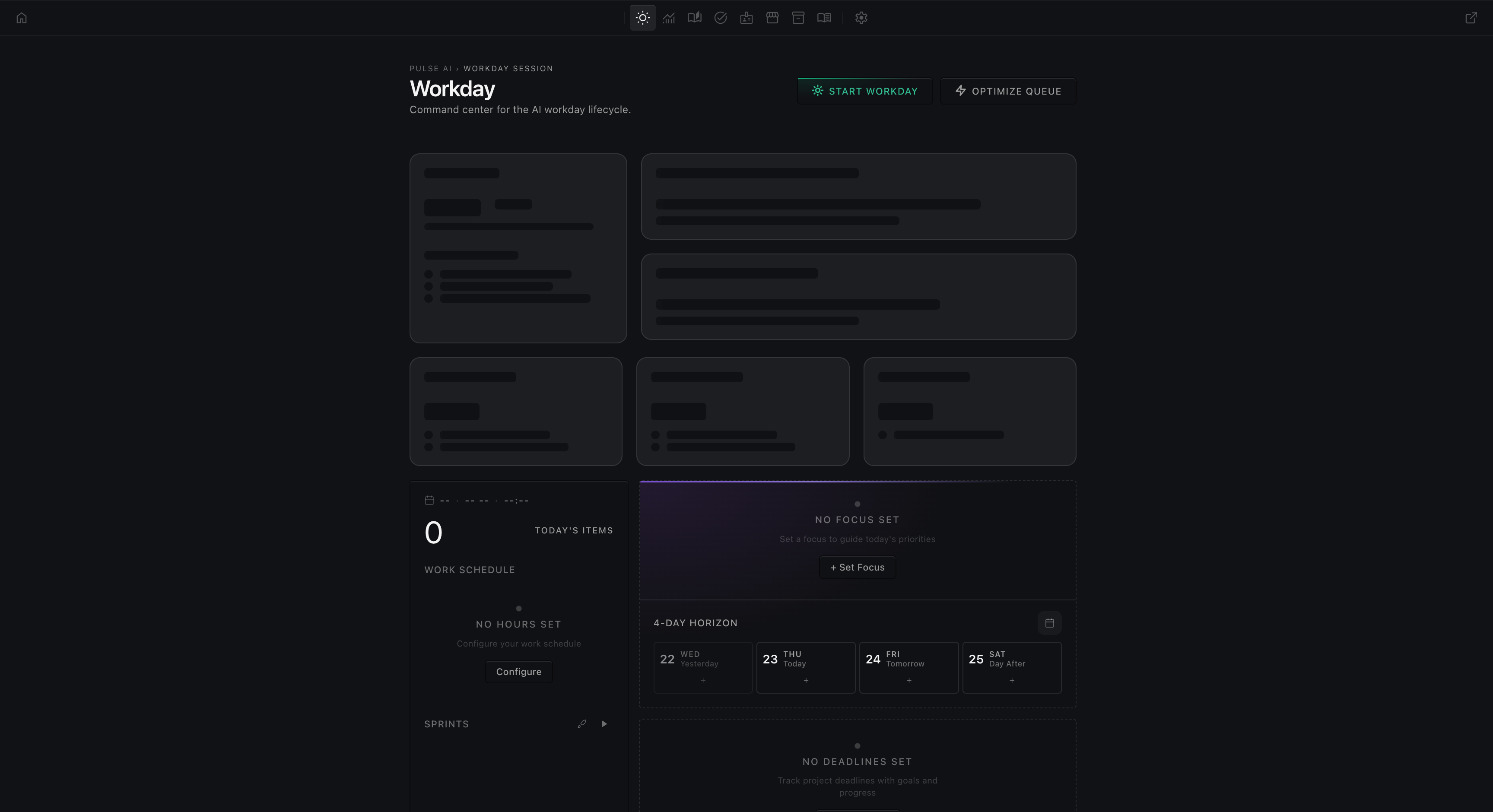
Lobby to Workday
The Lobby is the command center entry point. It gives the operator a quick read on the day before they choose a deeper surface: current workday metrics, daily progress, recent activity, and launcher cards for Workday, Knowledge Base, Action Items, Workforce, Company Rulebook, Settings, and any enabled inventory surface.
Use the Lobby when you need orientation before action. The Workday launcher is the first execution path: open it when you are ready to turn board work into an active operating session. The metric cards are for quick inspection, not final proof; use Workday and the board item record before deciding whether work is healthy, blocked, or review-ready.
The first-run path teaches the same sequence: Lobby, Workday, Start Workday, Today's Items, then the first dispatch. That sequence matters because it keeps the operator from jumping straight from setup into broad, unreviewed automation.
Workday setup and launch points
A Workday starts from a scope decision. Before pressing Start Workday, identify the smallest coherent pool: one task, a batch, a sprint, a sprint group, Today's Items, a reviewed workday pool, or an empty pool for manual intake.
The main launch points are:
- Lobby Workday card: enter the Workday page from the command center.
- Workday Start Workday control: choose the mode that matches the scope.
- Today's Items controls: dispatch the current day slice when the useful unit is overdue, due today, or scheduled for today.
- Resume Workday: continue an interrupted pool instead of creating a new one.
- Reviewed Workday: ask for a manager pass before launching a large or launch-critical pool.
Start behavior should create a fresh operating session for the chosen scope. Resume behavior should preserve the interrupted pool identity and continue the previous queue without treating active work as a brand-new backlog search. If the visible pool after reload looks wrong, compare it with the board item and sprint files before dispatching again.
Before you start the day
A Workday is not the whole board. It is the active operating session for a selected slice of work: a task, batch, sprint, sprint group, or reviewed workday pool. Start by confirming the board scope, the dependencies that must finish first, and the review state of recent work.
Use a focused Workday when the goal is clear enough to watch from request to evidence. Use a reviewed workday when the agenda is large or launch-critical and the first move should be a manager pass that chooses the right pool.
Active agenda and Today's Items
The active agenda is the Workday view of what can usefully move now. It combines the chosen pool, the current board lifecycle state, schedule signals, and any day focus or deadline pressure.
Today's Items is narrower than the whole board. It is the day-scoped queue made from overdue work, items due today, and items scheduled in sprints that run today. Use it when the operator wants today's actionable slice instead of a full sprint group or discovery pass.
Treat Today item counts as a dispatch aid, not a completion verdict. A Today item can still be blocked by dependencies, already in review, or unsuitable for immediate dispatch. Check the item detail and review state before sending it.
What the pool is allowed to do
The pool can queue eligible board items and dispatch them up to the configured concurrency limit. It should preserve context for blocked, done, or review items without treating those states as runnable work.
The pool is allowed to run items when the item exists on the board, its dependencies are satisfied, its status is dispatchable, and the requested scope matches the pool identity. It should not use empty slots as permission to pull unrelated backlog.
Watch the session
During a Workday, watch three signals together:
- Board state: todo, in-progress, blocked, review, and done show what the durable task record says.
- Pool state: queued, running, completed, failed, cancelled, blocked, and free slots show what the runtime is doing now.
- Evidence state: validation output, runtime proof, Knowledge Items, and review notes show whether the work is trustworthy.
Do not call a Workday healthy just because workers are running. A running worker can still be blocked, looping, or working from stale instructions.
Review cadence
Review cadence is the rhythm for deciding what happens after agents produce output. During an active Workday, check the queue often enough to catch blockers, duplicate dispatch, stale context, and review-ready work before the next pool expansion.
Use a lightweight cadence for narrow work: inspect the active item, verify the proof, and either approve, request revision, or create a tracked follow-on. Use a manager review pass for larger days: confirm today's focus, dependency order, active sprint membership, and recent Knowledge Item evidence before dispatching the next wave.
The Review Queue is where finished agent submissions are evaluated. Only move work forward when the evidence matches the task, the validation ran against the right surface, and any next action is captured as a board item instead of left in chat.
When to pause, stop, or repool
Pause when the user needs to inspect cost, terminal output, or a risky active change. Stop when the pool is wrong, unrelated work entered, a terminal is stalled, or the next dispatch would waste credits. Repool only the remaining relevant items after the board source of truth has been reconciled.
If reload changes the visible pool, compare the new state to the board item and sprint group files before dispatching again. The durable board is the source of truth; the live pool is the current runtime queue.
Common operator mistakes
- Treating the active slot count as the whole-day plan. Six active workers is a concurrency limit, not the size of the day. Plan the day from the agenda and sprint scope, then let the pool fill available slots from that scope.
- Starting broad discovery when Today's Items is enough. If the day already has overdue, due-today, or scheduled work, use that queue before asking Pulse AI to find unrelated work.
- Restarting instead of resuming an interrupted Workday. Resume preserves the pool identity. Restarting can duplicate dispatch or pull the wrong backlog if the board was not reconciled first.
- Dispatching blocked downstream work. A task that looks urgent can still be non-runnable until its dependency is complete or reviewed.
- Moving work to done without review evidence. Chat output is not proof. Use validation, runtime evidence, Knowledge Items, and review notes before approval.
- Hiding follow-on work in conversation. If the outcome creates the next concrete action, track it as a board item so the next Workday can see it.
Done with the day
A useful Workday ends with work in the right lifecycle state:
- Finished agent submissions move to review with proof.
- Blocked downstream work stays blocked with a clear owner.
- Approved work moves to done only after review.
- Follow-on work is added as a focused owner task instead of hidden in chat.
Recovery
If Workday displays the wrong pool after reload, stop new dispatch, compare the live queue with the board and sprint sources, and restore only the approved remaining slice. Resume an interrupted session when its pool identity is still valid; start a fresh session only after the stale state is reconciled.
If a worker stalls, preserve its task and terminal evidence, diagnose the current attempt, and re-dispatch the existing owner when safe. Do not fill the open slot with unrelated work merely to keep the pool busy.